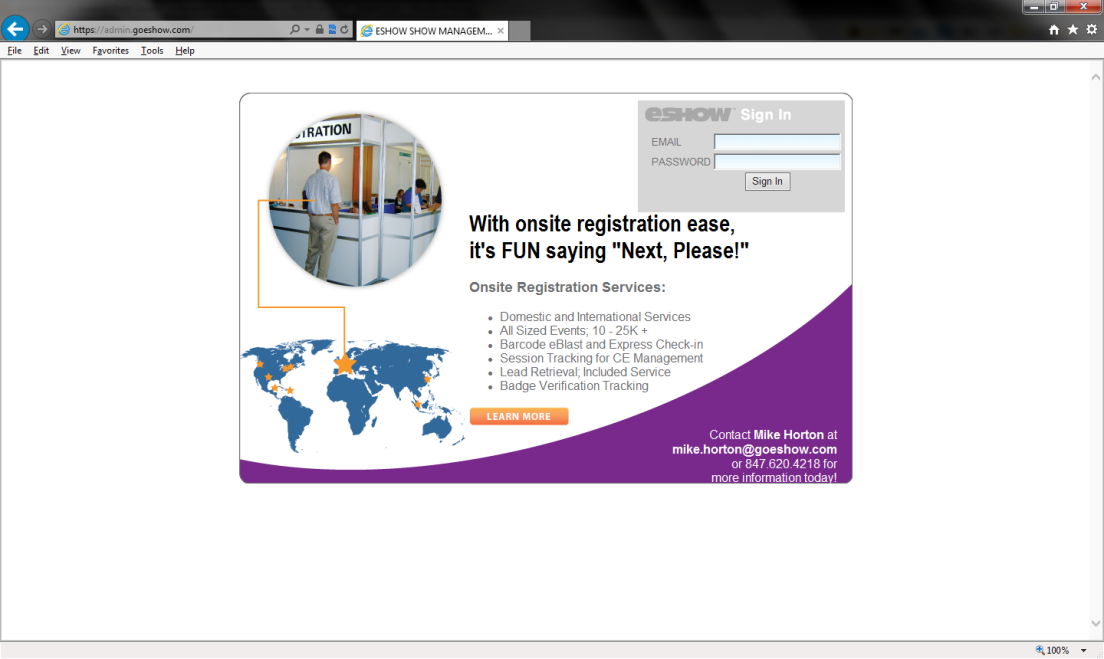
1. Open Internet Explorer
2. Login to eShow Admin at http://admin.goeshow.com
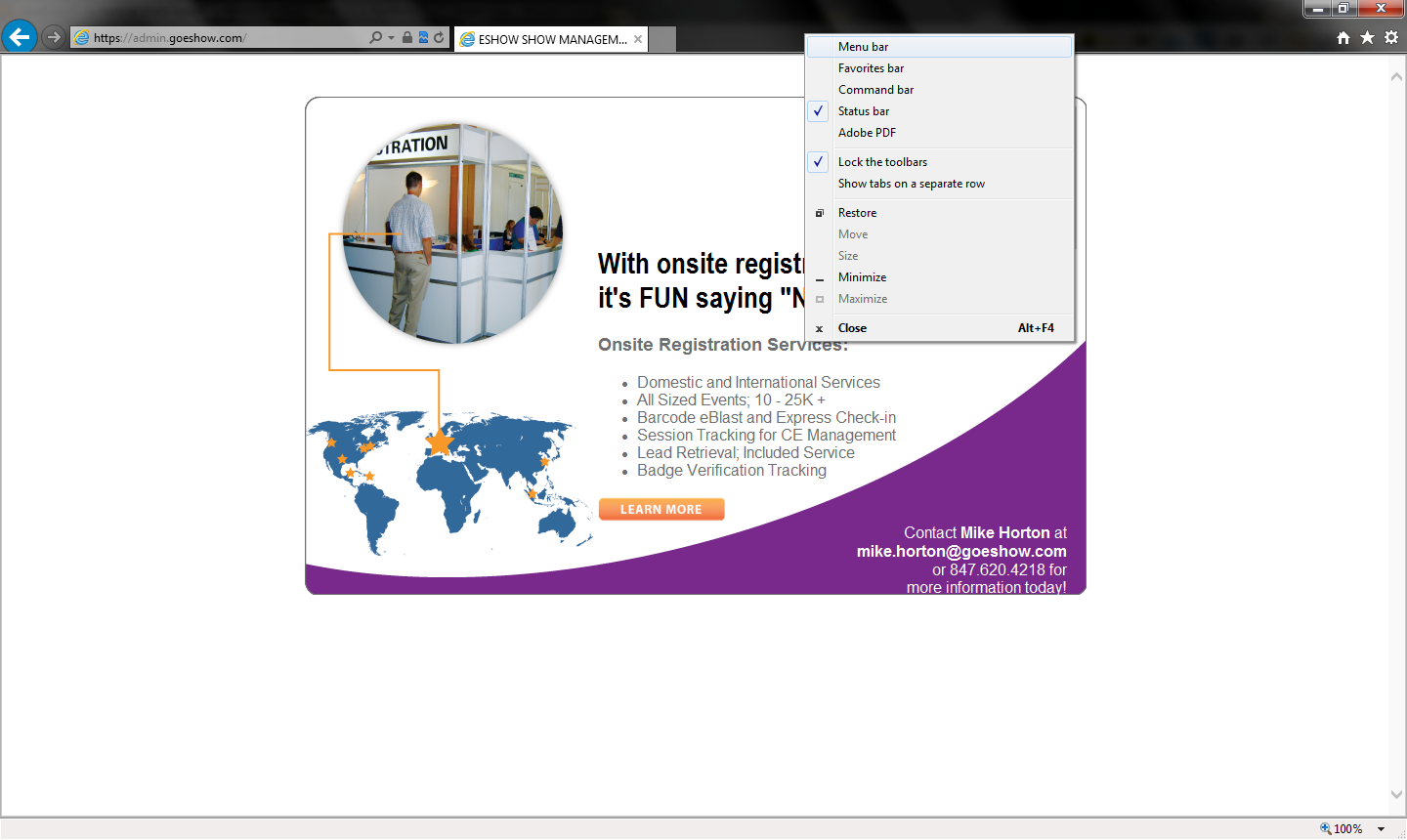
3. Right Click on the tab bar and make sure Menu Bar is checked
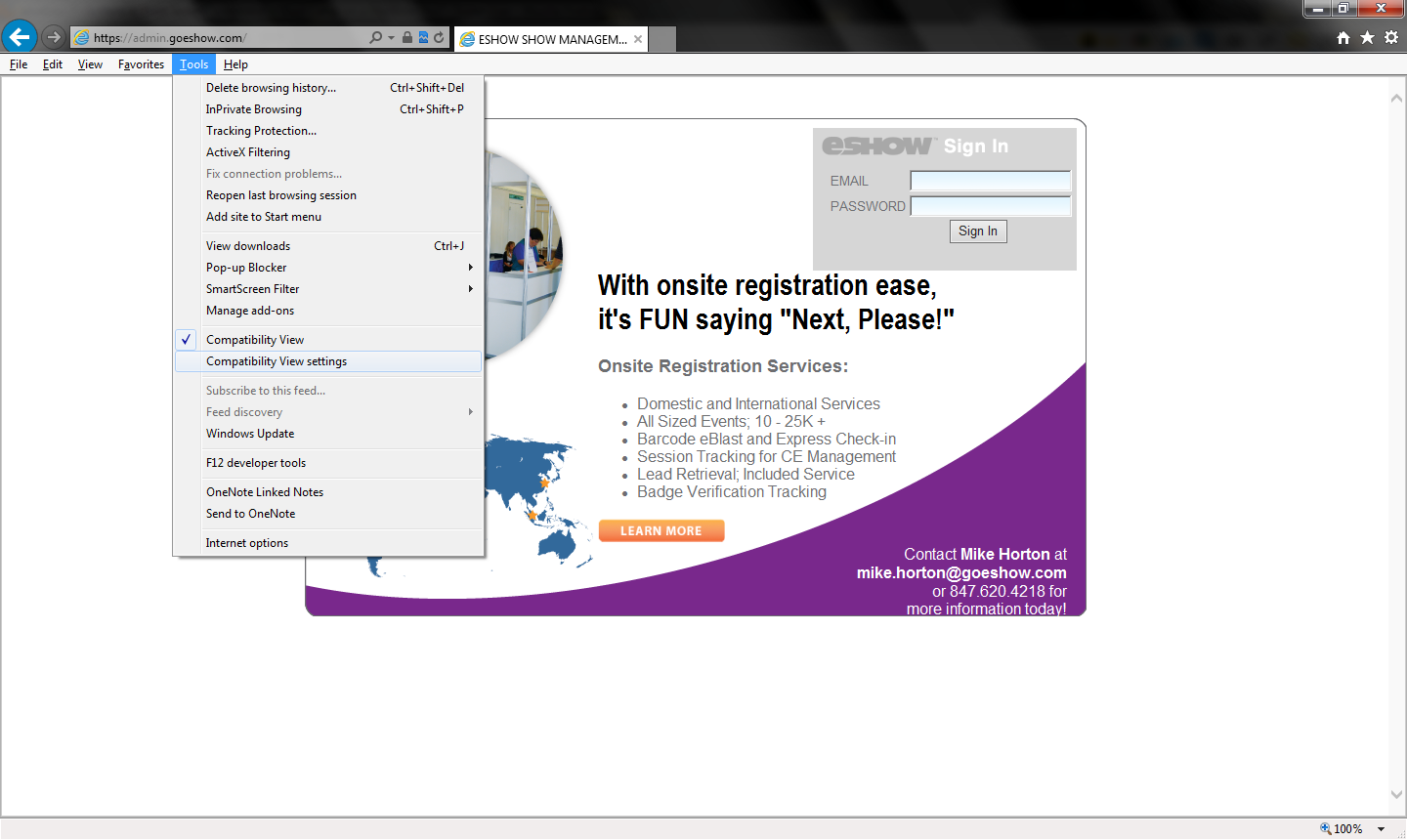
4. Click Tools then select Compatibility View Settings
5. Verify that goeshow.com is in the text field under Add this website:
Note: It must read as “goeshow.com” exactly (Without the “ “)
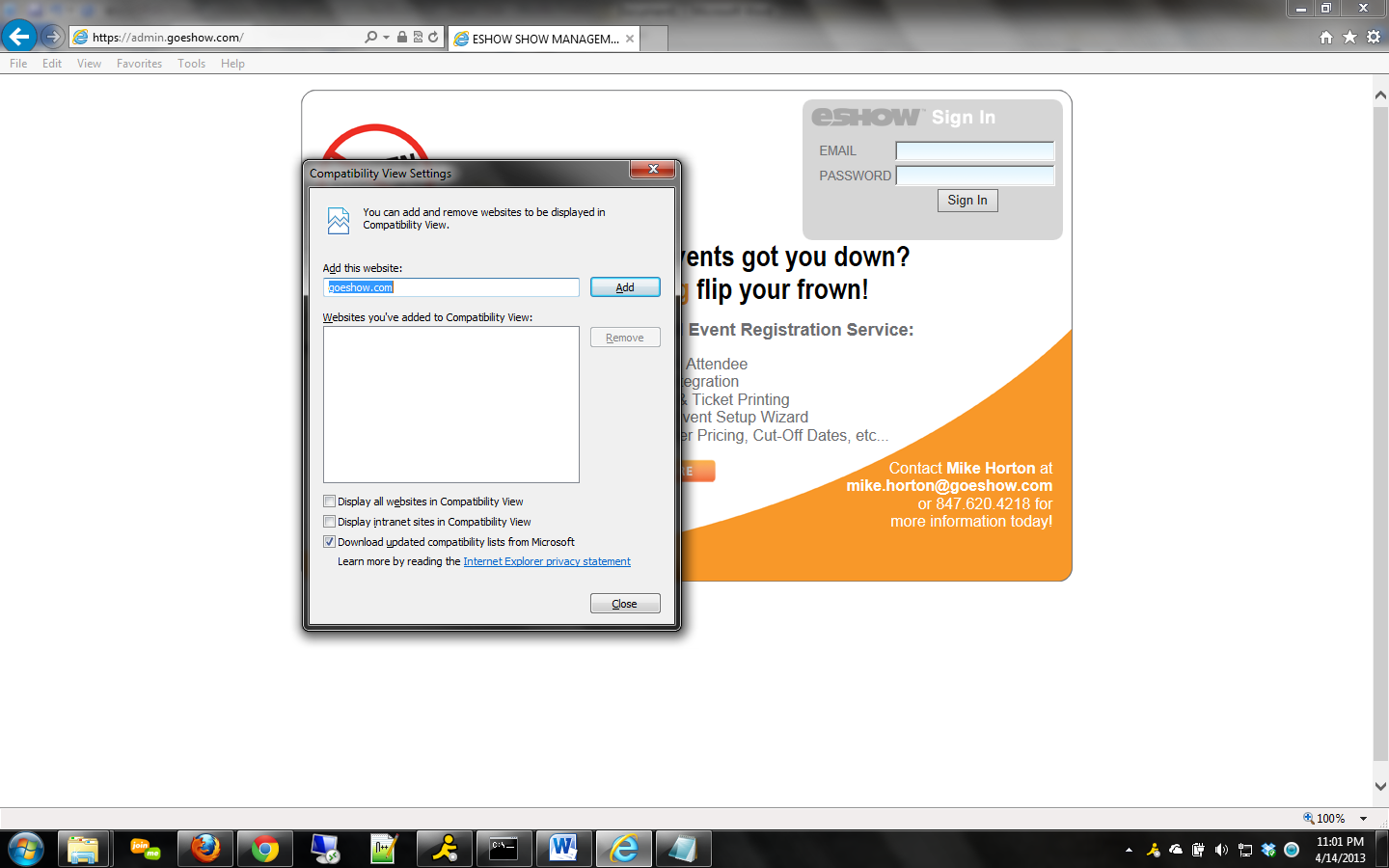
6. Click add then close out of menu box and internet explorer completely
7. Open Internet Explorer and Login to admin 8. You can verify that your settings work by ensuring that compatibility view is now checked in the tools menu